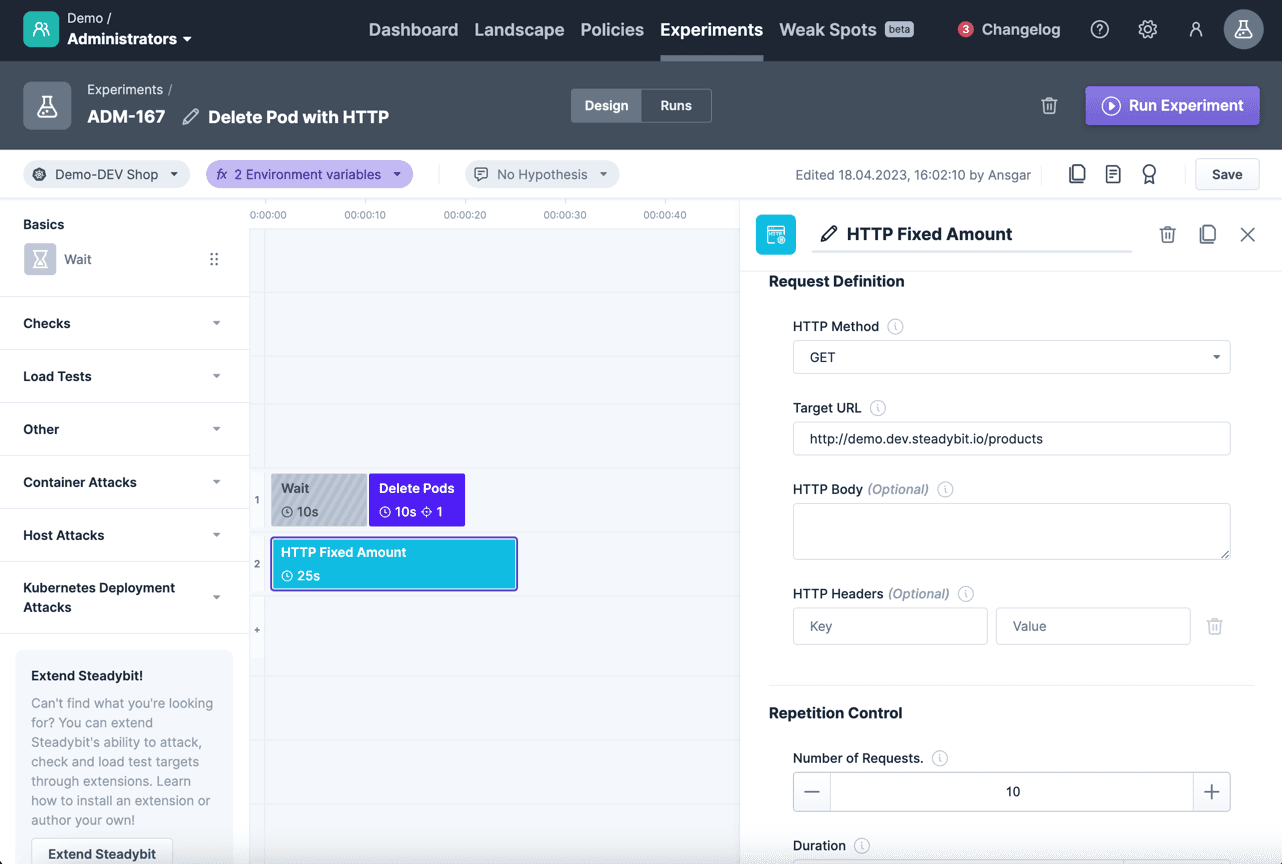
With this extension you are able to check your http endpoints for availability and response time. You can also check the response body for specific strings.
Use Cases
Check if your http endpoints are available within a given amount of checks
Verify that an attack breaks requests the way you intend, e.g. expect a connection reset during a Reset TCP/HTTP(s) Connection attack
Parameters
Parameter
Description
Default
Duration
In which timeframe should the specified requests be executed?
2s
HTTP Method
The HTTP method to use
GET
Target URL
The URL to check.
HTTP Body
(optional) The HTTP Body.
HTTP Headers
(optional) The HTTP Headers.
Number of Requests
Fixed total number of requests, distributed evenly across the duration.
1
Required Success Rate
Percentage of requests that must be successful. Evaluated at the end of the duration.
100
Required Response Status Codes
HTTP status codes considered as success. Supports ranges with '-' and multiple codes delimited by ';', e.g. '200-399;429'. For requests without a response, use the tokens listed under Details, e.g. '503;reset'.
200-299
Required Response Body (contains)
(optional) The responses must contain this string, otherwise the step fails.
Verify Response Time
How the response time should be verified against the required response time: 'don't verify', 'faster than required', or 'slower than required'.
don't verify
Required Response Time
The required response time. Which part of the response is measured is controlled by 'Response Time Measurement'. Only used when 'Verify Response Time' is not set to 'don't verify'.
500ms
Response Time Measurement
Which part of the response time to measure and verify: 'Time to first byte' (request written until the first response byte, excluding connection setup) or 'Time to last byte' (connection start until the last response byte, so connection latency and slow body downloads are included).
Time to first byte
Keep-Alive
(optional) Reuse connections between requests (HTTP keep-alive). If disabled, every request opens a new connection.
false
Follow Redirects
Whether HTTP redirects should be followed.
Connection Timeout
Connection timeout for a single call. Should be between 1 and 10 seconds.
5s
Read Timeout
Read timeout for a single call. Should be between 1 and 10 seconds.
5s
Max Concurrent Requests
Maximum number of parallel requests in flight at once. (min 1, max 10)
5
Skip Certificate Verification
(optional) Whether TLS certificate verification should be skipped.
false
Details
Requests without a response
Some requests never get an HTTP status, e.g. when the connection is refused or reset. Add one of these tokens to Required Response Status Codes to count such a request as successful. Tokens can be combined with status codes and ranges, e.g. 200-299;timeout.
Token
Covers
refused
Connection refused
timeout
Connection or read timeout, including a DNS lookup that runs out of time
reset
Connection reset, or closed before any response
dns
Name resolution failed
tls
TLS handshake or certificate error
unreachable
No route to host, network unreachable
error
Any request without a response: everything above plus e.g. protocol errors and redirect loops
Each failed request reports its type as Error Type in the result widget. A failure that matches the expected status codes is shown as successful, with its message as Expected Error.
Keep-Alive
When Keep-Alive is enabled, connections are reused between requests: DNS lookup, TCP connect and TLS handshake only happen when a new connection is opened. With 'Time to last byte', the measured response time of a reused connection is therefore shorter, and connection-level faults (e.g. delayed connects or failing TLS handshakes) only affect requests that open a new connection. Leave it disabled to check connection setup on every request.
Self-signed certificates
If you want to use self-signed certificates, you need to import them into the extension. You can do this by mounting a volume with the certificates and referencing it in extraVolumeMounts and extraVolumes in the helm chart.
See instructions in the extension-http documentation.
Start Using Steadybit Today
Get started with Steadybit, and you’ll get access to all of our features to discover the full power of Steadybit. Available for SaaS and on-prem!
Are you unsure where to begin?
No worries, our reliability experts are here to help: book a demo with them!



 Check
 Go back to list