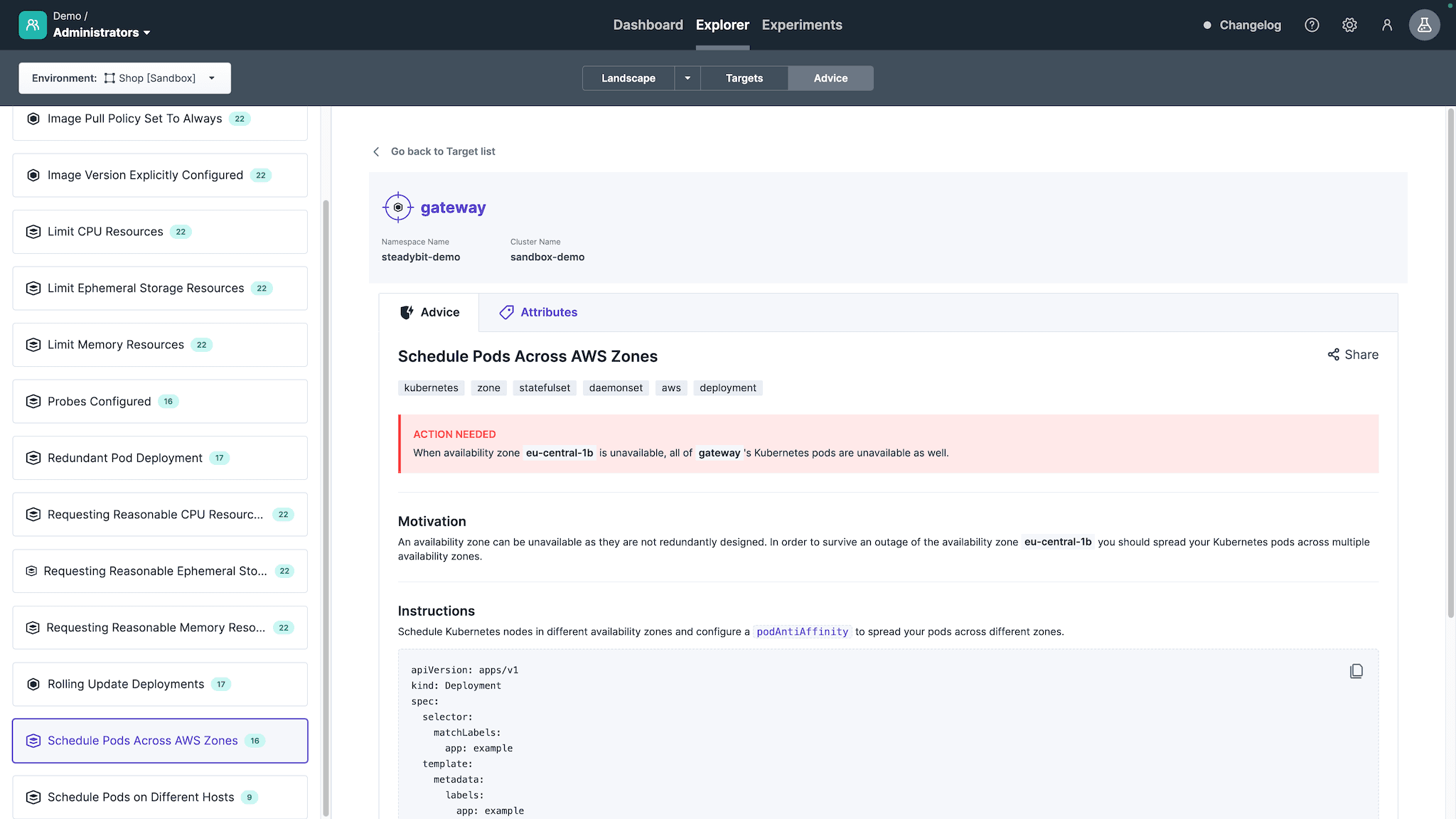
The advice is in the state 'Action Needed', which requires configuration changes.
Introduction
Validate whether, right now, multiple pods of the same workload resource are deployed in the same Availability Zone to avoid downtime whenever one zone isn't available.
Supported Advice States
Action Needed
The advice automatically discovers whether a Kubernetes workload resource, right now, spreads pods across Availability Zones, e.g., via a podAntiAffinity rule.
Validation Needed
Asks you to validate with an automatically created experiment that your provided service works while one availability zone is simulated to go down.
The experiment will block traffic to a container in one zone, which should be detected by Kubernetes via the configured liveness probe, causing Kubernetes to restart the container and eventually redirect traffic once it is up and running again.
If the target is associated with a service, the experiment automatically includes a service validation step. This makes it easy to judge whether the service behaves as expected from a user’s perspective.
If you do not use Steadybit’s service feature, you can require the user to provide additional validations via a wizard when creating the experiment.
For that, you need to tag your Kubernetes targets with the label tags.steadybit.com/service-validation and one of the following values:
http: Run an HTTP check on a GET endpoint
k6: Run a k6 load test
gatling: Run a Gatling load test
jmeter: Run a JMeter load test
If none of these options apply, the experiment will include a TODO step prompting you to add custom validation logic for your service.
Implemented
Once you have configured Kubernetes to spread the pods across different availability zones.
Disabling Advice
Every advice is automatically active as described in extension-kubernetes#configuration.
You can also activate advice individually, using for this advice, the identifier com.steadybit.extension_kubernetes.advice.single-zone.
Start Using Steadybit Today
Get started with Steadybit, and you’ll get access to all of our features to discover the full power of Steadybit. Available for SaaS and on-prem!
Are you unsure where to begin?
No worries, our reliability experts are here to help: book a demo with them!



 Go back to list