Steadybit logoReliability Hub
GitHubGitHub iconStart Free Trial
Steadybit logoReliability Hub

Publish (Messages / S)

AttackAttack
Publish messages to a queue at a constant rate (messages per second) for the attack duration
Targets:
RabbitMQ Queues
Install now

Publish (Messages / S)

Publish messages to a queue at a constant rate (messages per second) for the attack duration
AttackAttack
Install now

Publish (Messages / S)

AttackAttack
Publish messages to a queue at a constant rate (messages per second) for the attack duration
Install now

Publish (Messages / S)

Publish messages to a queue at a constant rate (messages per second) for the attack duration
AttackAttack
Install now
Go back to list
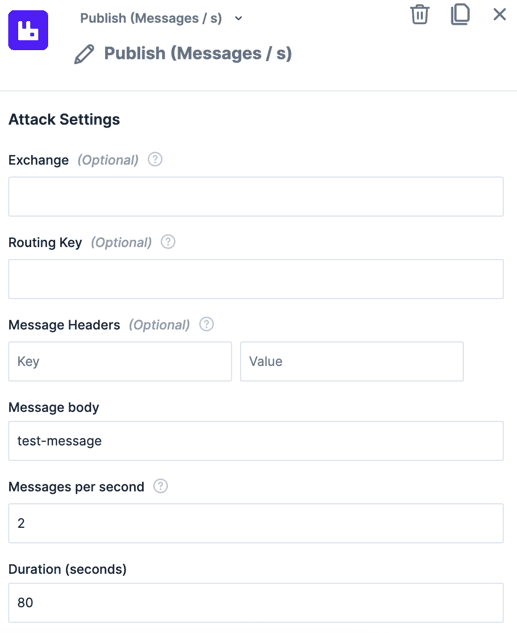
The action "Publish (Messages /s)" within the experiment editor.The action "Publish (Messages /s)" within the experiment editor.

Introduction

Publishes messages to a RabbitMQ queue at a constant rate (messages per second) for the entire attack duration. For example, 5 messages/second over 60 seconds publishes 300 messages total.

For publishing a fixed total number of messages (distributed across the duration), use Publish (# of Messages) instead.

Use Cases

  • Generate a steady stream of messages to simulate normal production load during fault injection.
  • Create sustained queue backlog by publishing at a rate higher than the consumer can process.
  • Combine with Check Queue Backlog to verify that consumers keep up under a known publishing rate.

Parameters

ParameterDescriptionDefault
DurationHow long the publisher runs at the specified rate. Total messages published = rate x duration.30s
Messages per SecondThe number of messages to publish per second. Min: 1, Max: 10.1
ExchangeOptional. The AMQP exchange to publish to. Defaults to the default exchange (empty string), which routes directly to the queue.
Routing KeyOptional. The routing key used for message delivery. Defaults to the queue name if empty.
Message HeadersOptional. AMQP message headers to include in the message properties. Specified as key-value pairs.
BodyThe message body. Every message uses this same value.test-message
Success RateMinimum percentage of messages that must be published without errors for the action to succeed. If the actual success rate drops below this threshold, the experiment fails.100%
MaxConcurrentMaximum number of parallel publish requests in flight at once. Min: 1, Max: 10.1

More RabbitMQ Queue Actions

See all
Alter Queue Max Length
Limit the maximum number of messages a queue can hold by creating a temporary RabbitMQ policy. The policy is removed when the attack ends.
AttackAttack
RabbitMQ Queues
Start Using Steadybit Today

Get started with Steadybit, and you’ll get access to all of our features to discover the full power of Steadybit. Available for SaaS and on-prem!

Are you unsure where to begin?

No worries, our reliability experts are here to help: book a demo with them!

Statistics
-Stars
Tags
Message Queue
RabbitMQ
Homepage
hub.steadybit.com/extension/com.steadybit.extension_rabbitmq
License
MIT
MaintainerSteadybit
Install now
Steadybit logoReliability Hub
Start Free Trial
© 2026 Steadybit GmbH. All rights reserved.
Twitter iconLinkedIn iconGitHub icon